
Cloudopszone
All About Microsoft Azure & Power Platform services
Recent Posts

Use Wireshark To Capture Network Packets
Many Network administrators are facing daily network problems on their infrastructures. There is an open source free tool on the market called Wireshark, which help them to identify and resolve the problem. Wireshark is a network packet analyzer. It capture network...
SQL Server – Reset sa Password
Below you can find an easy explanation, how to reset sa account password. Download the PsExec tool from the Sysinternals suite. Open with elevated CMD or Powershell privileges and run the following command CMD: C:\PsExec.exe -s -i "C:\Program Files (x86)\Microsoft...
SQL Server Patching Troubleshooting
If there is a problem during the upgrade process of a SQL Instance, then follow these instruction, Check the archive Summary.txt, which is located at C:\Program Files\Microsoft SQL Server\XXX\Setup Bootstrap\Log directory The second file that keeps logging important...
How to restart an Interrupted Database Restore in SQL Server
If there is a break in the restore process then we can follow the steps below to try solve the problem. First, Open SSMS and execute the following command to look at database Status. SELECT NAME, STATE_DESC FROM SYS.DATABASES As soon as you confirm that database is in...

Configure Remote Debugging Tool on Azure VM
The following instructions, are describing the configuration steps, regarding the Remote Debugging with VS17 on an Azure VM. Preliminary, you must check the VS version. Each version, corresponds to different Remote Tools Visual Studio Version Link 2017 download 2015...
Create Azure SQL Database
In this post, you can see a demonstration of Azure SQL Database. Login to Azure Portal Login to Azure Portal by clicking here Create Resource Group Create Azure SQL Database Create Server Complete the Server Configuration as follows in the example: Choose Pricing Tier...
Maximize your VM’s Performance with Accelerated Networking On Azure
Maximize your VM’s Performance with Accelerated Networking On Azure Good News, for all IT's, Microsoft announce Accelerated Networking, both on Windows and Linux OS. This feature can provide up to 30Gbps in networking throughput. Table of Contents Support VM Instances...
Failover Clustering and Always On Availability Groups on Azure VMs
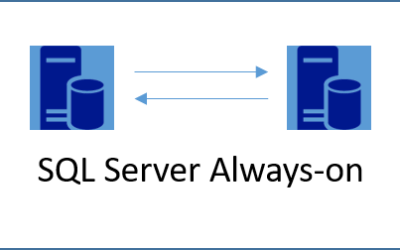
SQL Server: Failover Clustering and Always On Availability Groups Before we start to configure SQL Server always On, you need to make sure that you have: One Domain Controller Two Database Servers A Storage that will play the File Share Witness (Witness Quorum) All...
Network Trace Capture
Windows command shell allows you to capture network traffic by using netsh command. Netsh trace start scenario=NetConnection capture=yes report=yes persistent=no maxsize=1024 correlation=yes traceFile=C:\Logs\NetTrace.etl netsh trace stop
SEARCH
Search my blog


George Grammatikos
George Chrysovalantis Grammatikos is an Azure Cloud Architect. He has more than 10 years experience in different technologies like BI & SQL Server Professional level solutions, Azure technologies, networking, security etc. He writes technical blogs for his blog “cloudopszone.com”, MS wiki articles and participates in discussions on Microsoft Wiki and other technical blogs.
